
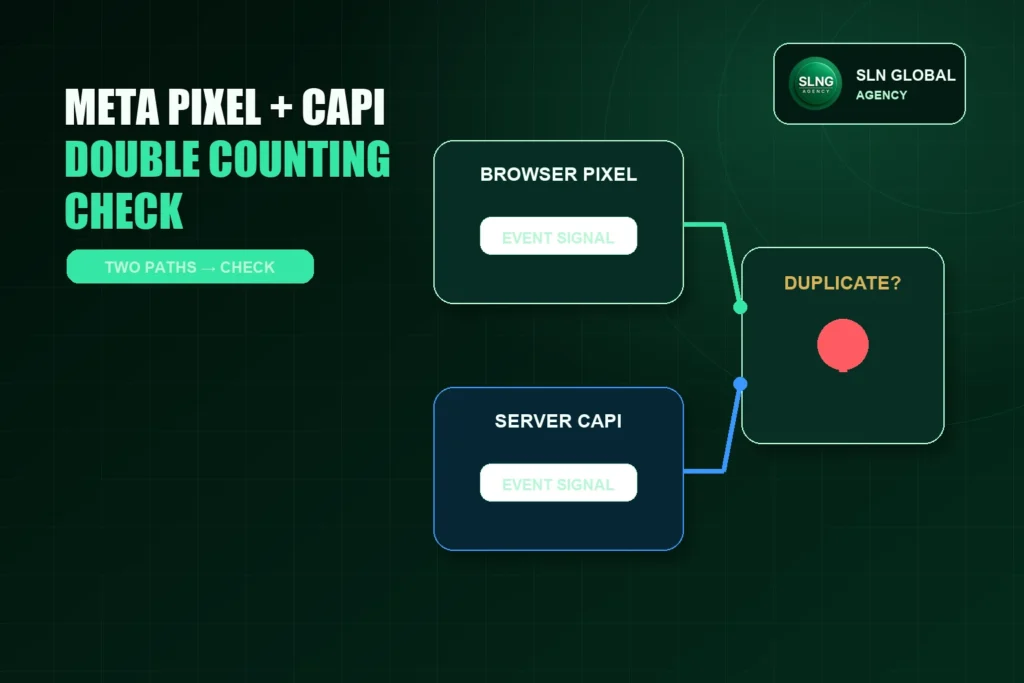
When Meta tracking numbers look too high, one possible cause is duplicate event counting. This can happen when the browser Pixel and server-side Conversions API both send the same event, but Meta cannot confidently recognize them as two copies of one real action.
That does not mean every browser/server pair is a problem. Pixel and CAPI are often designed to work together. The problem is not “using both.” The problem is sending event copies that should be paired, but are instead treated as separate actions.
This guide explains how to diagnose possible double counting before you make risky tracking changes.
What double counting means in Meta tracking
Double counting means one real customer action may appear as more than one event in Meta reporting.
For example, one real purchase might be sent once from the browser Pixel and once from the server. If Meta can match those two event copies properly, it may deduplicate them. If the copies do not match in the expected way, reporting may show more events than actually happened.
The same idea can apply to Lead, AddToCart, InitiateCheckout, Purchase, or other important events.
The goal is not to remove CAPI or remove Pixel immediately. The goal is to check whether the two event paths are paired correctly.
Common symptoms of possible duplicate events
Possible symptoms include:
- Meta purchases, leads, or checkout events look higher than website, CRM, or order records.
- A sudden event-volume jump appears after CAPI, a plugin, or a new integration was added.
- Events Manager shows both browser and server events, but diagnostics suggest deduplication issues.
- The same event appears to fire from multiple tools, such as a Shopify integration plus a tag manager plus custom code.
- Test Events shows more event copies than expected after one real action.
These symptoms do not prove double counting by themselves. Meta attribution, reporting delay, refunds, cancelled orders, browser blocking, CRM definitions, and timezone differences can also create number gaps.
If the main issue is “Meta numbers and website numbers do not match,” start with the broader reporting explanation first. Double counting is only one possible cause.
Step 1: Identify the event that looks suspicious
Do not diagnose the whole Pixel at once. Pick one event.
Good starting points are:
- Purchase
- Lead
- InitiateCheckout
- AddToCart
- CompleteRegistration
- Contact
Write down what looks wrong:
- Which event is inflated?
- Which date range shows the issue?
- What changed before the issue started?
- Which source are you comparing against: Shopify orders, WooCommerce orders, CRM leads, form submissions, or another report?
The diagnosis becomes much cleaner when one event is isolated.
Step 2: Check whether the event is sent from browser, server, or both
In Meta Events Manager, look at the event source details for the suspicious event.
You are trying to answer:
- Is this event coming from browser only?
- Server only?
- Both browser and server?
- More than one browser source?
- More than one server source?
Browser plus server is not automatically wrong. But if you see multiple integrations sending the same event, such as a native ecommerce integration plus a tag-manager event plus custom code, the duplicate risk increases.
Step 3: Check event names
For deduplication to work, event copies need to describe the same action consistently.
A common mistake is sending related but mismatched names for one action. For example, one path sends Purchase while another sends a custom event name for the same order. Another mistake is sending Lead from one source and CompleteRegistration from another for the same form completion.
Use standard event names where appropriate. If a custom event is needed, make sure the logic is intentional and documented.
Step 4: Check the event_id concept
For browser/server deduplication, the event_id concept is important. The basic idea is that the browser copy and server copy of the same real action need a shared identifier so Meta can understand they are related.
This is especially important for events such as Purchase or Lead, where one real action may be sent through two paths.
A safe diagnostic question is:
Are the browser and server copies of the same event using a matching event identifier, or are they being sent as unrelated events?
Do not guess this from the public page alone. Check the implementation path, plugin/integration settings, data layer, server event payload, or Events Manager diagnostics where available.
Step 5: Use Test Events carefully
Meta Test Events can help you see what fires during a controlled action.
For example, you might test:
- ViewContent by visiting a product page.
- AddToCart by adding one item to cart.
- InitiateCheckout by starting checkout.
- Purchase with a safe test order process if the business has an approved test-order method.
- Lead with a non-production or approved test process, not a real customer form submission unless authorized.
Do not create fake customer leads or real purchases just to test tracking unless the business owner has approved the exact test workflow.
When using Test Events, watch for:
- More event copies than expected.
- Browser and server copies not paired.
- The same event firing from more than one plugin or script.
- Events firing on page load when they should happen after action.
Step 6: Check recent implementation changes
Double counting often appears after a change.
Review whether any of these recently happened:
- CAPI was enabled in a plugin.
- A native Shopify or WooCommerce integration was added.
- A tag manager container was added.
- A developer added custom Pixel code.
- A second plugin also started sending Meta events.
- The same event was configured in both a platform integration and custom code.
- A form plugin or CRM integration started sending Lead events separately.
If multiple tools can send the same event, document exactly which tool owns each event.
Step 7: Compare Meta events with operational records
For ecommerce, compare Meta Purchase volume with actual orders for the same date range.
For lead generation, compare Meta Lead or form_start events with actual form submissions, CRM records, or qualified lead logs.
Keep the definitions separate:
- Purchase is not the same as paid/fulfilled order.
- Lead is not the same as qualified lead.
- form_start is not the same as successful form submission.
- AddToCart is not the same as checkout.
A mismatch can be normal. The question is whether the difference is so large, sudden, or patterned that duplicate event sending becomes likely.
Step 8: Avoid quick fixes that break measurement
Do not immediately remove Pixel or turn off CAPI without understanding the event path. That can reduce duplicate risk but also weaken attribution and optimization signals.
Avoid these rushed fixes:
- Disabling CAPI because both browser and server events exist.
- Removing all Pixel code without checking plugin ownership.
- Renaming events to “make them unique.”
- Deleting events from one tool while another tool still sends them.
- Testing with live customer data.
A better approach is to map the intended owner for each event and then correct the duplicate source or deduplication setup.
Quick diagnostic checklist
Use this checklist before changing anything:
| Check | What to look for |
|---|---|
| Event selected | Which event appears inflated? |
| Source path | Browser, server, or both? |
| Multiple tools | Is the same event sent by more than one plugin, platform, or script? |
| Event name | Do browser and server copies use the same intended event name? |
| event_id | Are paired browser/server copies identifiable as the same action? |
| Timing | Are paired copies close enough in time to represent one action? |
| Test Events | Does one action create the expected event pattern? |
| Operational comparison | Does Meta volume make sense against orders, leads, or CRM data? |
| Recent changes | Did the issue begin after a setup change? |
When to ask for help
Ask for tracking help if:
- Purchase, Lead, or checkout events look inflated.
- Multiple integrations appear to send the same event.
- You cannot identify which tool owns each event.
- Meta diagnostics show deduplication warnings you do not understand.
- You are afraid that fixing one event may break campaign optimization.
SLN’s tracking and retargeting support can help map browser/server event paths, check deduplication logic, and separate reporting mismatch from real duplicate-event risk.
The safest tracking fix is not the fastest one. It is the one that preserves useful signals while removing measurement errors.
For related guides, visit the Meta Pixel & CAPI resources.